
Download 3SBD latest version 1.9.8.2 for Android. Overview of features, install steps, and account basics for new players.
A Closer Look at 3SBD
Players who install 3SBD often keep a second Android app handy for variety; HE786 login is a common companion pick.
Common 3SBD install questions
Avoid modified copies of 3SBD; unofficial rebuilds can add anything to the package.

Trending Android Apps This Week
Among similar apps this season, players compare notes on M333com. This keeps day-to-day use predictable.
Tools Inside 3SBD
The app remembers display preferences per device instead of tying them to the account. That consistency is easy to underestimate.
Sessions resume where they stopped, even after a full device restart. It is the kind of choice you notice only when it is absent.
The account dashboard separates history, preferences, and profile cleanly. Most of the polish is invisible until you need it.
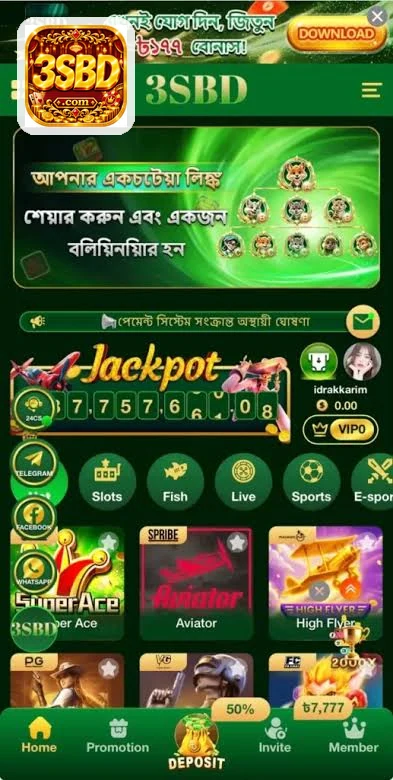
Where 3SBD Fits
Competitors with more sections often take longer to reach the same screen, which is the trade 3SBD avoids. Power users will appreciate that it stays out of the way.
Community chatter often names a rising app alongside 3SBD during update weeks. It is a deliberate trade that favors reliability.
Practical Tips
Log out on shared devices and remember sessions only on personal hardware. For a phone-first app, that is the right priority.
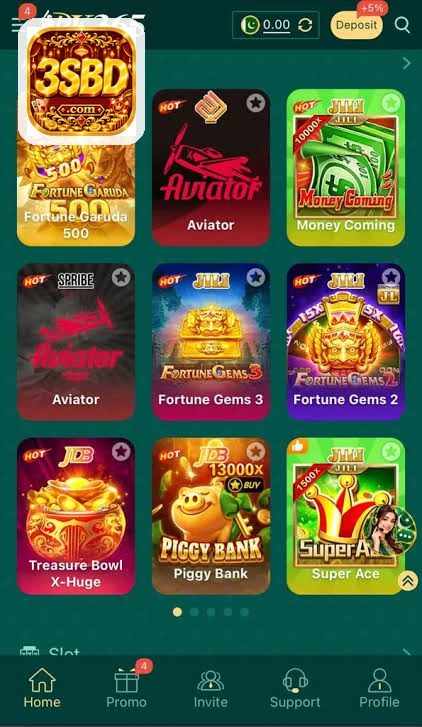
Creating Your 3SBD Account
If the code never arrives, check email spam filters or signal strength before requesting another. Returning users notice the same behavior every time.
Never share verification codes with anyone, including people claiming to be support. The approach holds up after a few weeks of regular use.
Deposits and Withdrawals
A welcome offer, if present, activates from the promotions tab after registration. The behavior stays consistent across versions.
Verify recipient details before confirming any transfer, and keep confirmations until it settles. It is the kind of choice you notice only when it is absent.
Keeping Your Account Secure
If a screen freezes, close 3SBD from the recent-apps view and reopen. It is a small detail that matters over weeks of use.
Updates use the same APK route; install the new file over the old build without uninstalling. The choice fits how most people actually use a phone.
Local Notes
Some Android features are region-gated; the app hides rather than dead-ends them. Returning users notice the same behavior every time.
What 3SBD Does
3SBD maintains a single primary screen from which every other view branches, keeping orientation simple. Nothing about it feels bolted on or rushed.
Pros and Cons
- Sessions resume where they stopped
- Fast, lightweight lobby that opens in seconds
- Frequent small updates that keep the app current
- Feature depth is intentionally limited
- Some sections depend on regional availability
What Is New in 1.9.8.2
The 1.9.8.2 release is the latest build at the time of writing, with notes focused on stability. This keeps day-to-day use predictable.
If Android flags the file, confirm the source matches the official page first. Reviews tend to mention this point first.
How to Download and Install 3SBD APK
1. Confirm the version shown on the page matches 1.9.8.2.
2. Wait for the file to finish downloading before opening it.
3. Confirm the install prompt and wait for it to finish.
4. Launch 3SBD and allow only the permissions you recognize.
Release History at a Glance
If 1.9.8.2 is installed, you are current; re-check the download page after a few weeks. The approach holds up after a few weeks of regular use.
From the Trending List
If 3SBD is already installed, the next most-viewed app is the usual second pick. It leaves room for the rest of your phone to do its job.
The Case For and Against 3SBD
Clear the app cache from Android settings if a screen ever misbehaves. That decision keeps the app approachable for newcomers.
Trust and Safety Notes
Use a device PIN or biometric lock; it protects more than just 3SBD when the phone leaves your hands. It keeps the learning curve short for new installs.
Design and Usability
Progress survives a cache clear, because saved history lives on the account rather than only on the phone. It leaves room for the rest of your phone to do its job.
A search function inside the lobby helps you reach specific sections without scrolling through the full list.
Menus stay shallow: nothing in 3SBD is buried more than two levels deep. Power users will appreciate that it stays out of the way.
Sessions load quickly on mid-range phones, and the 1.9.8.2 build trims waiting time between screens noticeably compared with older releases.
Consistency across updates is where 3SBD pulls ahead of faster-moving competitors.
Availability by Country
Players in many regions often search 3SBD alongside local payment options. The result is a calmer, more predictable session.
Promotions appear in a dedicated section of the lobby with their terms attached to each card. Most of the polish is invisible until you need it.
Small Habits That Help
Restart the device before reinstalling; it resolves more issues than expected. The result is a calmer, more predictable session.
Screenshot transaction confirmations until they settle.
Sign Up and Sign In
Verification codes expire quickly; request a new one instead of retrying an old code. You feel the difference most on a busy phone.
If the app logs you out unexpectedly, check the device clock and the connection. The behavior stays consistent across versions.
FAQ
Can I install 3SBD on a tablet?
The APK installs on most Android tablets, though the layout is tuned for phone screens.
What is 3SBD?
3SBD is a mobile Android app focused on quick sessions and simple navigation.
How do I update 3SBD?
Download the newest APK from the official page and install it over the existing build.
How do I remove 3SBD completely?
Uninstall from Android settings; this removes the app and its local data.
The Verdict
3SBD is easy to recommend for everyday, short-session use. It keeps the learning curve short for new installs.
The download button above links to the current 1.9.8.2 package.
Comment